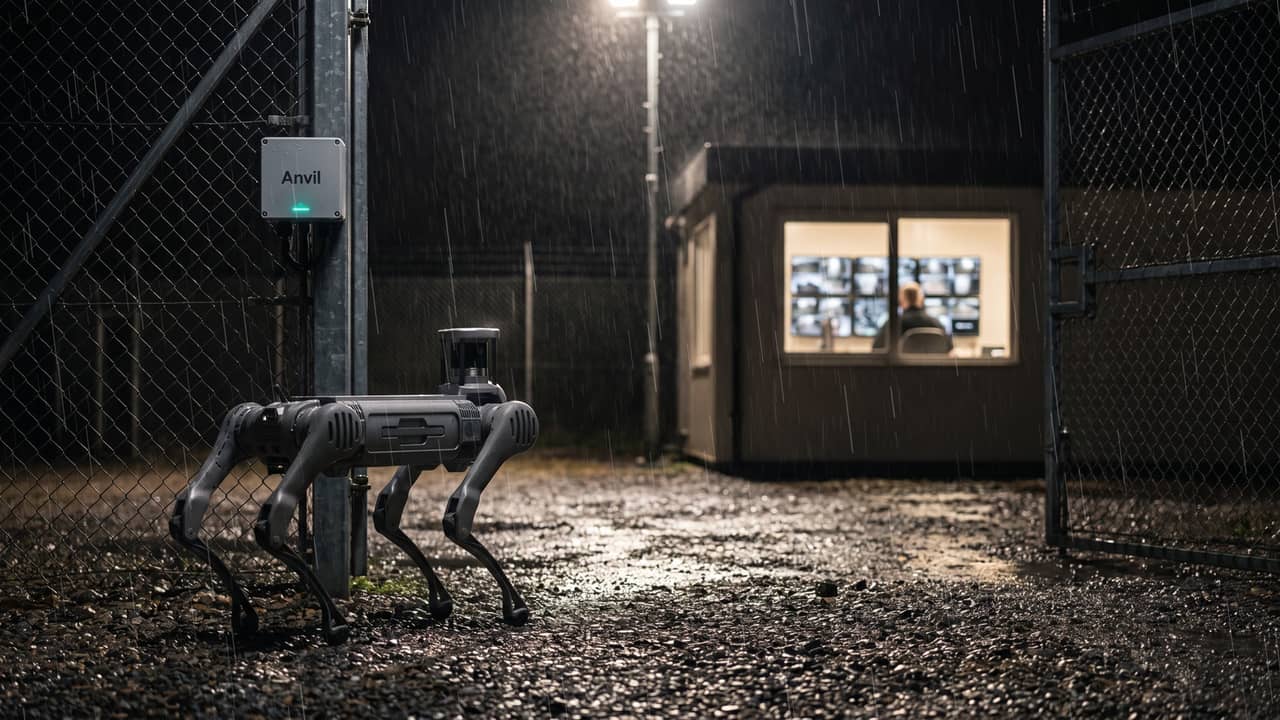
Forge Anvil · integration software
Your robot’s findings belong in the systems you already run, not in a separate app
Most robots report into their maker’s app or cloud, so every alert needs someone to notice it in one place and re-enter it in another. Forge Anvil is the bridge we are developing to take what the robot finds on your site and put it into the control room, the maintenance system, the warehouse system or the incident log your team already works from.
Forge Anvil is being developed to take what the robot finds on your site and put it into the control room, maintenance or incident systems your team already uses.
The integration review maps what the robot would find to the systems you run, and how Forge Anvil would carry it there.
What it does
What Anvil is designed to give the control room and the maintenance team
Anvil is designed to do a plain job well: move what the robot finds into the place where someone will act on it, and keep a record.
Findings where the work happens
Anvil is designed so that a finding on the robot, a hot spot, a leak, an open gate, a blocked route, becomes a record in the system that already owns that kind of work: an event in the VMS, a work order in the maintenance system, an entry in the incident log. The image and the location go with it.
Work orders raised, not re-typed
Anvil is designed to keep your asset list in step, so an inspection finding can raise a work order against the right asset in your planned maintenance system, in the format that system accepts.
Alerts to the control room, the way alerts already arrive
Patrol detections are meant to arrive on the operator’s existing screen, not on a tablet in a drawer. A person verifies before anything escalates, as now.
Designed to keep working when the link drops
We are developing Anvil to run on a small box beside the robot, on your site, storing findings there and sending them when the connection is back, so a poor or metered link does not lose records.
Designed to keep the robot off your network
The box is designed to sit between the robot’s own private network and yours, holding the only robot credentials, so your side never needs them.
A record of who did what
It is designed to log every command and every finding with who, what and when, so an incident comes with a record rather than a recollection.
The integration review is where Forge Anvil starts: which systems your team works from, and how the robot’s findings would reach each one.
Request an integration reviewWhere it sits
The last step of the Forge path, not a product on its own
Anvil is being developed as the way a proven robot becomes part of your operation. It comes after the task, the platform and the pilot, never before them.
Match the task
We start from the job and the site, and say whether a robot is the right answer at all.
Recommend the platform
A shortlist across manufacturers. Before a robot reaches it, we ask its maker for full SDK access and confirm it can run without the maker’s cloud.
Prove it in a pilot
One well-defined task, supervised, measured against success criteria agreed up front. The integration is scoped here too.
Anvil into your systems
Findings, alerts and work orders would flow into the tools you already run, as scoped in the integration review. Your team keeps working where it works now.
In one picture
Your systems on top, the robot below, Anvil in between
Your systems do not change. The robot is designed to stay on its own network, with Anvil the only thing that talks to both.
Your systems
Unchanged. Anvil is designed to push into them.
- Control room and VMS
- Maintenance system
- Warehouse management
- Incident log
- Dashboards you already use
Forge Anvil
Designed to run on a small box beside the robot, on your site.
- Findings, alerts and work orders up to your systems
- Missions and commands down to the robot
- A local record of who did what, when
The robot
Designed never to be directly reachable from your network.
- Whichever platform the task chose
- Talked to over its own SDK, on its own private network
By design, data goes up, commands go down, and no manufacturer’s cloud sits in the path.
On your site
How Forge Anvil is designed to fit on your site network
The robot, its controller and its dock stay on the robot’s own private network. The Anvil box sits beside the robot, wired to both sides, and is the only thing that talks to your network. Your switch, router and firewall stay as they are.
What it is and is not
Plain boundaries, so nobody buys the wrong thing
Anvil is
- A bridge into the tools you already run, designed so the robot’s output lands where people act on it.
- Software designed to run on your site, beside the robot, and keep a local record.
- Manufacturer-neutral by design: one adapter per robot and one per system, so either side can change without a rewrite.
- Forge’s own software, being developed in the UK and set up with you during the pilot.
Anvil is not
- A robot. Anvil is the software between the robot and your systems. The robot is made and warranted by its manufacturer.
- A replacement for your VMS, maintenance system or WMS. It is designed to feed them, not compete with them.
- A lock-in. It is designed so that if the robot changes, the adapter changes and your side stays as it is.
- A way to replace people. Patrol robots gather evidence and hold position; a person verifies and decides. They do not detain anyone.
Forge Anvil is developed by Forge in the UK and is under active development. It is set up and proved against your systems during the pilot, before routine use.
Fit with hardware
Designed for the platform the task chose
Anvil is designed to be manufacturer-neutral. The robot is chosen for the task; Anvil is being developed to connect whichever one that turns out to be.
Anvil is designed to talk to the robot through the manufacturer’s own software development kit, on the robot’s local network, with no maker’s cloud in the command path. That is a condition we put to every manufacturer before a platform reaches your shortlist, because it is what keeps the deployment yours rather than rented.
Supply is a separate decision. Hardware is often bought through the selected manufacturer or supplier, and Forge can supply or arrange the robot where that fits. Either way, your proposal names who supplies, warrants and supports each part, and Anvil is the same whichever route you take.
See the quadruped platform classes we specify, compare platforms in the robot range, or read our guide to integrating a robot with the software you already run.
Not sure which platform the job needs? The review starts with the task and gets to the robot.
Request an integration reviewWho it is for
Built for the people who run sites
UK site operators
Operations, security, facilities, manufacturing and logistics teams
You have a control room, a maintenance system or a warehouse system your team relies on, and you want a robot’s output in there, not on a separate screen. Anvil is scoped with you in the pilot and set up against your systems before routine use.
Robot manufacturers
Bringing a platform to the UK?
UK buyers will ask how your robot reaches their systems. Anvil is being developed as one answer, on a manufacturer-neutral basis, alongside your own software.
Who owns what
Clear lines, written into every proposal
No badge wall. Here is what each party owns, in plain language.
- You
- Your systems, your data and your procedures. Findings from a robot on your site are your records; Anvil is designed to put them where you say and keep them for as long as you agree.
- Forge Robotics
- Anvil and the adapters that would connect it to the robot and to your systems, the advisory path from task to pilot, and support for the software.
- The manufacturer or supplier
- The robot: hardware, firmware, warranty and repairs. Their SDK is what Anvil’s adapter is designed to talk to.
- Delivery partners
- Sector engineering, monitoring and site work where the job needs it, under their own accreditations. Those accreditations are theirs, and work that needs them is contracted through them.
Frequently asked questions
Who owns the data?
You do. Findings, images and readings from a robot on your site are your records. Anvil is designed to put them into your systems and keep a local copy on the box beside the robot for as long as you agree. Retention, who may see what, and whether any image may leave the site (for support, for example) are written into the proposal before anything runs.
Who supports what?
Forge supports Anvil and the integration. The manufacturer supports the robot itself, hardware and firmware, under its warranty. Your IT team owns your systems, as now. The proposal names each of these against each part of the deployment. Where Forge provides a patrol or inspection as a managed service, you contact Forge and we coordinate the rest.
Does this lock us to one robot brand?
No. Anvil is designed to talk to each robot through an adapter written against that manufacturer’s own SDK, and to each of your systems through another adapter. Change the robot and the robot adapter changes; your side stays as it is. Before a platform reaches your shortlist we ask its maker for full SDK access and confirm it can run without the maker’s cloud, because that is what keeps the deployment yours.
We already have a VMS and a maintenance system. Do we need another screen?
No, and that is the point. Anvil does not replace either. It is designed to push into what you have: an event into the VMS, a work order into the maintenance system, a file or an API call where that is what your system accepts. Which route applies is scoped site by site in the integration review; we use the plainest reliable route your system offers, and we never write into a vendor’s live tables.
How does a pilot prove it?
The integration is scoped in the pilot with your IT team: which findings, into which system, in what format, and who sees them. The success measures are agreed before anything runs, for example that a finding raised by the robot appears in your maintenance system against the right asset, with its image, within an agreed time. It is tested against a test tenant or staging environment first, and nothing touches a live system until your IT team signs it off.
Does it need an internet connection?
Not for the robot to run. Anvil is designed to run locally on the box beside the robot, so a site with no external connection could operate on its own network. It would need a link to reach your systems; if that link drops, findings are designed to queue on the box and be sent when it returns.
Is Forge Anvil robot fleet management software?
Not in the usual sense. Robot fleet management software is mostly about running the robots: missions, maps, charging and health. Anvil is being developed for robot systems integration, the step that decides whether the robots are useful: getting what they find into the control room, maintenance or incident systems your team already runs, whichever manufacturer they come from.
Get started
Tell us which systems the robot should report into
Describe the task, the site and the systems your team works from. We will come back with a written view of what fits and how Forge Anvil would connect it, including any route that is not yet proven for your system.